
In August 2017, I set out to replace a failing HP Photosmart 7520 All-In-One inkjet printer. Since the Photosmart had lasted only a few years, I wanted to spend less than that had cost. My requirements:
- Target price less than $100
- Very good quality photo printing with fairly high resolution
- Wireless
- Automated duplexing (not manual)
- 3-in-one capability; I rarely if ever needed a FAX, and the Photosmart should still work for that.
Short answer: if your primary goal is good quality printed photos / images, get a Canon. To find out why, read on….
I expected to walk into Staples, Office Depot, or Best Buy, pick up a new printer – probably another HP – take it home, set it up, and be happy with it.
That isn’t what happened. A simple replacement for a failing HP Photosmart 7520 turned from a simple ten-minute “I want to replace my printer” transaction into a three-week trial-and-error quest more along the lines of an automobile purchase.
It took a long time for anyone in Staples to either notice or care that I was there, in spite of the store being nearly devoid of customers. For a while I wandered around the three aisles of printers. The Brother printers’ paper trays struck me as small, flimsy, and not easily accessible. The Canon printers on display mostly had had the lids abused, loosened, and one had become unattached on one side. (Store management wasn’t putting its best foot forward in the printer department.) I wasn’t looking for another HP to tell me it was out of black ink when it was actually full, or to transform images of the family pet into orange and black Halloween decorations. I thought maybe the Epson ink would be less expensive than the HP (turned out to be just the reverse).
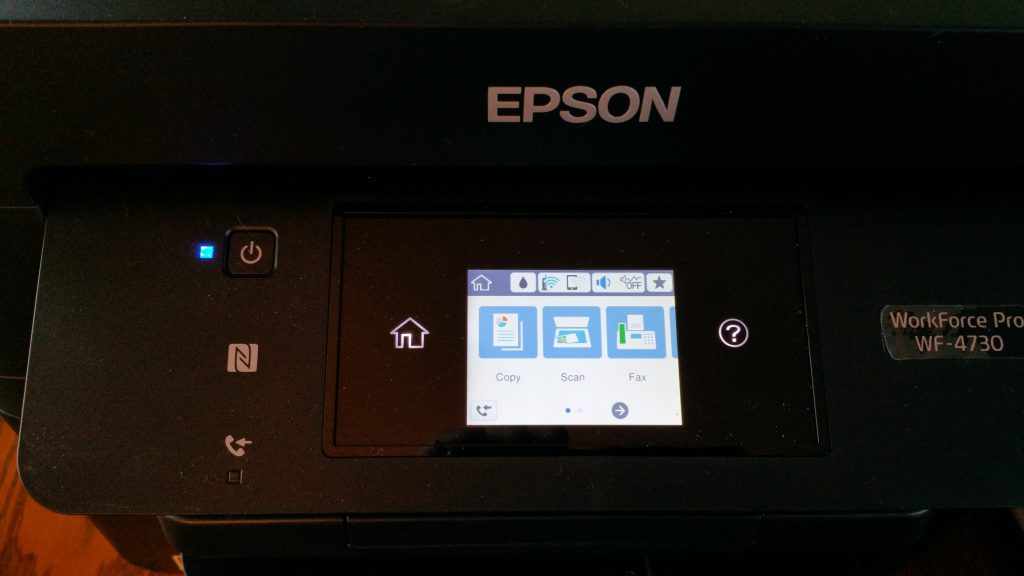
Finally, as I approached the Customer Service Desk, two young men asked if they could help. “Yes,” I said, “I’m looking for a printer.” “Don’t get an Epson! We get a lot of complaints about those.” Yet when I began talking about fairly high-resolution printing of photos, they suggested an Epson. Canon and Epson printers had higher resolution than comparably priced HP. Epson had higher scan resolution than the Canon I was considering. In the end, I compared two all-in-one printers having 4800 x 1200 bpi color image resolution: An Epson WorkForce Pro WF-4730 on sale for $99.99, and a tight, solid feeling Canon PIXMA MX492 for $59.99. I wanted to take them both for a spin and compare the rides, but that wasn’t possible. (Why aren’t the display models set up for test printing? I read a customer review whose author purchased his printer – from a different seller – because he was able to test print a photo from his phone right there in the store.) The associate was able to print a page from the Epson, but not from the Canon. I decided on the Epson. The Epson WorkForce Pro WF-4730 (2 cassette paper trays) and WorkForce Pro WF-4720 (single paper cassette) both were on sale for $99.99. I didn’t expect to need two paper trays, but for the same price, I opted for the WorkForce Pro WF-4730.
I took the new Epson printer home, set it up*, and printed. All print tests were performed specifying the highest quality possible. I started with test prints on 4″x6″ photo paper. I was able to coax a few photos from my HP 7520 to compare with the Epson photos. The same images printed on the Epson looked “flat” and were grainy. Where my HP 7520 printer appeared to have blended the inks as they were applied so that individual dots were not evident, the Epson didn’t – a photo of a sunflower obviously was composed of tiny dots. Photos from my older HP had more depth, and on some photos had more overall crispness of detail. The Epson left white lines across the image where ink either hadn’t been applied, or had been scraped off. In spite of all that, the Epson still managed to print with a significant clarity and sharpness of edges on images such as a metal chair sitting in the snow or a windmill against the sky. When I printed text, the black was lighter in color and the lines of the characters were narrower than what my HP produced. And sporadically the Epson appeared to have shifted either heads or paper partway through a line such that words were shifted horizontally a bit with a very noticeable jog in alignment. I ran the maintenance options to clean and align the heads, but the problems persisted, though the white lines diminished over time. My head told me to return the printer and my gut inexplicably told me to keep it. I felt a fondness for the printer, but didn’t like the output…until I printed an 8.5″x11″ portrait photo of my youngest granddaughter. Wow! Absolutely beautiful. “Picture perfect,” as they say! Subsequent printing of 8.5″ x 11″ portraits were of consistently good quality. My heart sided with my gut, and the “return it” argument was outvoted. (Farther down the road on the Printer Quest, I would realize that the Epson printer produced images with more of a reddish cast than did the HP or the Canons. I also should mention that when I specified borderless printing on the Epson, it displayed a message that borderless prints could result in smeared ink and loss of resolution around the edges; it did smear a gob of ink, so thereafter I left it printing with borders. Why would a company put a printer on the market when it has a known problem smearing ink? A few weeks into this trip I tried Epson photo paper, and discovered that it, too, prints with a reddish tint regardless of which printer is used, so that’s to be returned.)
Cassette 1 is adjustable internally to handle envelopes and photo paper sizes 4″x6″, 5″x7″, and 8.5″x11″ as well as letter paper.

But wait! Initial results from the Epson were so unsatisfactory (yet I still so wanted to like it) that I decided to try the solid little Canon before returning the Epson. This time I read online magazine reviews of printers, and looked at what was available at Best Buy. I decided to go to a Best Buy store with the intent of purchasing an HP Envy 4520 (about $60 at the time) and either a Canon PIXMA MG3620 (3-function printer), which was on sale at the time for about $40-something, or a Canon PIXMA MX492. I could get two printers for around $100, try them out, keep the best, and return the rest. (Why don’t stores set up their printers to test print photos for customers prior to purchase? It would save everyone so much time, energy, and returns!)
When I arrived at the printer section at Best Buy, I was helped by a sales associate. No printers had loose or dismembered lids. All was clean and orderly. And as the Best Buy associate was showing me the HP Envy printers, an actual HP representative happened to join us. She steered me toward the $99 (on-sale price) HP Envy 7640, telling me that its ink included some kind of gloss that preserved the printed ink for a longer period of time than the lower-priced models. The Best Buy fellow left me in the hands of the HP rep, and she and I discussed the printers for a while. She used a 7640 at home and liked it. And she gave me 6 months of coupons for free ink if I signed up for the HP Instant Ink monthly subscription program. I preferred separate cartridges for each color, and the 7640 had a combined cyan/magenta/yellow cartridge. My 7520 not only had separate cartridges, it had a fifth cartridge – photo black. “Am I going to miss that?” I asked the HP lady. She seemed to think not. I thought I could compromise on that, but it stayed in the back of my mind. At the end of the conversation, I said, “Honestly, how will the 7640 print images, compared to another brand, like a Canon?” She said something like, “Well, Canon is considered top of the line, but I think the 7640 is comparable. It will print photos with a quality comparable to a Walmart print.” I wasn’t sure what Walmart quality print was, currently. What I took away from that conversation is, “Canon is considered top of the line.” I took the HP Envy 7640 home, expecting it to produce prints comparable to those from my HP Photosmart 7520. And if it didn’t, then I’d try a Canon.
It didn’t. On setup, the HP Envy 7640 failed calibration each of the 3 times I tried it. I told it to continue setup anyway. Photos were blurry and yellowed compared to both the Epson and the older HP Photosmart 7520. I ran the maintenance option to clean and align the heads; the alignment failed. Output didn’t appear to be misaligned, but there was an unacceptable lack of clarity to the photos, and they appeared to have been slightly misted with a yellow-tinged fog. Photos from the Epson had much more detail and crispness. Tree branches and chairs in photos from the HP lacked the crisp, clear edges that were produced by the Epson. Two days later I returned to Best Buy and exchanged the printer for another of the same model. Since this one clearly was defective, maybe another one would produce better results.
The new HP Envy 7640 passed its calibration on the first try during initial setup, but the photos printed actually seemed slightly worse as far as fogginess, blurring, and yellowing than the first one had. I opened a chat session with HP Customer Support, and spent close to two hours printing and reprinting, wasting HP ink and my photo paper. On one occasion I missed the paper setting in the print options, and the photo came out clear and crisp but of an unacceptable overall quality. Suspecting it printed with the default “plain paper” setting, I printed another image set at “plain paper” on photo paper. Same result – clear and crisp, but color and other attributes were unacceptably poor. The customer service representative offered to send me new ink cartridges to see if the results would be better, but I declined, telling him that these results were similar to those from the previous printer of the same model, so I didn’t think the problem was in the ink. I told him I planned to return the printer. The only positive thing about it was that I liked the images it produced of a particular bluish image of the moon peeking out of clouds in a night sky. In that case, the blending and slight fogging was appealing. And I thought the HP Instant Ink plan was a nice feature.
At this point I had a few-years-old, failing HP Photosmart 7520 that when behaving produced photos I liked. I had an Epson that produced unacceptable output except for its outstanding 8.5″ x 11″ portraits. And an HP Envy 7640 that printed images with unacceptable clarity, tinged with a yellowed fog…which had a nice effect on one particular night shot. I was going for output quality in an economical printer, since it seems products last two to four years, at best, these days. I wasn’t going for speed, but the Epson was noticeably the fastest printer I’d ever had. Even photos were printed with amazing speed when the Standard quality was selected, but I considered the results unacceptable.
I went online and ordered a Canon PIXMA MX922 from Best Buy, on sale for $84.99. While it was on route, I read some customer reviews saying it was a nice printer but didn’t last, with time to failure ranging from several months to two years. Overall, it seemed to print photos of good quality, and people liked it. Printer arrived, I set it up, photos were great. The bluish night shot of the moon peeking through clouds was a deeper blue and not quite as “blended” as the HP photo, but blurring and yellowing shouldn’t be considered a desirable attribute. Portraits I printed look great.



In all this test printing, I ran out of all but a few sheets of Canon letter size matte photo paper. The local Walmart had little selection and prices that seemed high. Online, prices on both Amazon and Best Buy were much better. During the course of looking for photo paper, reading reviews, and figuring out the differences among “Luster”, “Semi-gloss”, and “Pro Platinum”, I came across a Canon PIXMA TS9020 that had not only separate ink cartridges for each color, including a fifth for photo black, it also had a photo gray. Customer reviews praised the additional depth and shading lent by the gray, especially in black and white photos. It was $114.99 on sale, and available with the Best Buy Easy Replenish ink program. Why not? I ordered one along with some “Luster” and glossy photo papers.
Both the MX922 and TS9020 Canon PIXMA printers have a color print resolution of 9600 x 2400 dpi (dots per inch). The TS9020 has a scan resolution up to 2400 x 4800 dpi optical resolution, and up to 19200 dpi interpolated resolution. Originally, I had thought the 600 x 600 dpi resolution of the Epson would suffice. For images for books, I just needed at least 300 dpi on scanned images.
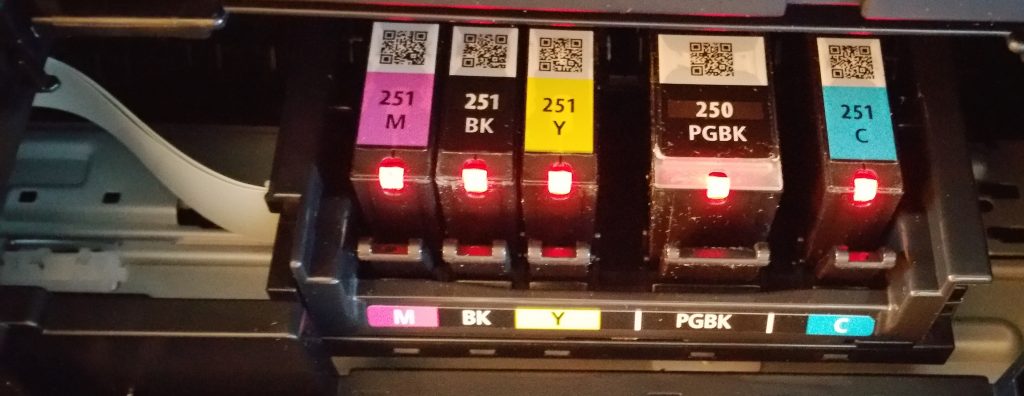
I returned the HP Envy 7640, and couldn’t decide between the two Canons. It appears that the TS9020, having the option to use gray as well as black in photos, tends to produce photos that are less dark overall, and with less contrast. Printing an image of wisteria flowers, the MX922 was a bit warmer, producing violet flowers, and the TS9020 a bit cooler with a bluish cast, or deeper purple flowers. The MX922 feels like an older model, is larger, heavier, and with less advanced technology than the TS9020. The TS9020 feeds photo paper in vertically from above at the back, and can handle the square 5″x5″ size, as well as the standard letter (8.5″x11″), 5″x7″, and 4″x6″ sizes. Its paper cassette is odd in that you have to push some of the plastic pieces on the bottom to adjust the size to handle standard letter size paper by extending the bottom of the tray. Read the instructions to see how to do it (for me it wasn’t intuitive.) Not a deal breaker, just curious design. And it’s a fairly shallow tray. Lacks the usual top feed feature.This is the smallest and lightest of the printers I tried. On the TS9020, you make your selections on the touch screen. On the MX922 you use the screen, but then have to push the OK button to the right of the screen to actually activate your selection. Both Canons produce what I consider extremely good photos for a (approximately) $100 printer.


The TS9020 has the option to use Best Buy’s monthly ink subscription program; the MX922 does not. Speaking of which — in the store, I was told their ink program is $2.99 a month, regardless of how much ink is used, and irrespective of number of pages printed. When I went online to find the specifics of their program, it was entirely vague regarding the terms of cost and usage, stating ink would be charged at the current rate at the time it’s shipped, with whatever discount is applicable. No specifics as to the discount; no specifics as to the monthly cost. I expected these would be evident when I actually completed the signup (which is done from the printer, not your PC), but that wasn’t the case, either. So I don’t know what I’ve signed up for.
All three printer manufacturers – Epson, HP, and Canon – provided access to photo software for composing collages and other products, which has been useful for making presents and cards. I like the Image Garden that Canon includes because I can manage and edit my individual images from there on my Windows 7 PC that lacks the Microsoft Photo software that’s integrated with Windows 8.1 and Windows 10.
* The set up I did for all tested printers was for the basic functions via Wi-Fi, and did not include functions for printing from mobile devices, tablets, the cloud, or the internet. I followed the instructions that were included, and used the accompanying CDs to install drivers.